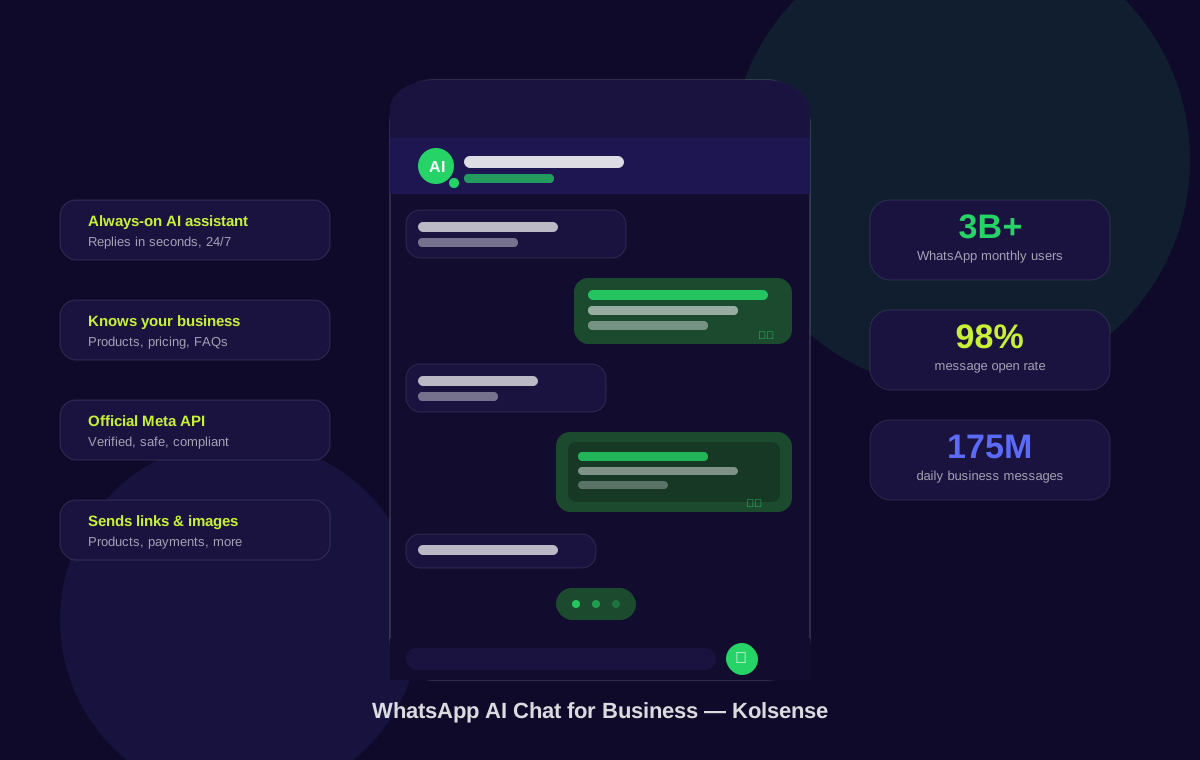
WhatsApp has quietly become the default customer communication channel for businesses in most of the world. Not email, not live chat on your website, not a customer portal — WhatsApp. Customers already have it installed, they check it constantly, and they genuinely expect a fast reply when they message a business there. The problem is that most businesses are either replying manually (slow, exhausting, inconsistent) or using basic automation that frustrates customers more than it helps. WhatsApp AI chat — real AI, powered by large language models — changes that equation entirely.
WhatsApp is where your customers already are — and where they expect you to be
Let's start with the scale of the opportunity. WhatsApp is active in over 180 countries and is the dominant messaging app in markets across Europe, Latin America, the Middle East, Africa, and Asia. More than 50 million businesses already use WhatsApp Business in some form. In countries like Brazil, India, Nigeria, and across the Gulf region, WhatsApp is the internet for customer communication — it's where people expect businesses to respond, not phone, not email.
For a small business, this is genuinely exciting. You don't need to build a custom app, get customers to download something new, or fight for attention in a crowded inbox. Your customers are already on WhatsApp, messaging you. The question is whether you reply well — or at all.
What WhatsApp's built-in tools actually give you (and what they don't)
WhatsApp Business — the free app — gives you a few helpful basics: a greeting message when someone contacts you for the first time, an away message when you're offline, quick replies for common questions you can trigger with a keyboard shortcut, and labels to organise your chats. These are tools designed for a human agent who's temporarily unavailable. They're not automation. They're a bandage.
The "flow" tools Meta introduced allow you to build basic questionnaire-style interactions — "reply 1 for pricing, reply 2 to book a call." Useful for collecting a phone number or routing a request, but completely useless the moment a customer asks something that doesn't fit one of your pre-set options. And customers always do. They ask follow-up questions, they want specific product recommendations, they explain situations that need a nuanced answer. A numbered menu can't handle any of that.
What a real WhatsApp AI chatbot actually does
A WhatsApp AI chatbot built on a modern large language model — the same technology behind ChatGPT and Claude — works completely differently. You give it context about your business: what you sell, how you price it, what your policies are, links to your booking page or product catalogue. From that moment on, it handles real conversations in natural language, on its own, around the clock.
Here's what a properly configured WhatsApp AI chat assistant can handle for your business:
- Answer any question about your products or services — in full sentences, with context, not a scripted bullet list
- Share pricing, booking links, and registration pages — proactively when relevant, or on request
- Send product images automatically — if a customer asks "what does it look like?", the AI shares the image mid-conversation
- Help close a sale — by handling objections, explaining value, and sending the direct purchase link at the right moment
- Collect customer information — name, email, appointment preference, delivery address — and log it without a human needing to chase
- Handle support queries — troubleshooting, order status questions, return requests — consistently, at any hour
- Know when to hand off to a human — when the conversation needs a real person, it flags it and a team member can step in directly from the dashboard
- Reply in any language — your customer writes in Hebrew, Spanish, Arabic, or French, and the AI replies in the same language naturally
For a small business owner, this is the difference between being available to customers 24/7 and being available only when you're not busy doing everything else that running a business involves. For a growing team, it means customer queries get handled instantly without adding headcount. And unlike a human, the AI is perfectly consistent — it never has a bad day, never gives a different answer to the same question, never forgets to follow up.
The shortcut many businesses take — and why it puts your number at serious risk
Here's something that doesn't get talked about enough: a huge number of small businesses automate WhatsApp using third-party tools that are not connected to Meta's official API. These tools work by essentially pretending to be a WhatsApp mobile app — they simulate the behaviour of a phone running WhatsApp to send and receive messages programmatically.
It's understandable why businesses go this route. Meta's official WhatsApp Business API requires a verified WhatsApp Business Account (WABA), which involves submitting business documentation, waiting for Meta approval, and navigating a setup process that feels bureaucratic compared to just downloading an app and connecting a number. The unofficial tools skip all of that. They're faster to set up, often cheaper, and appear to work fine — for a while.
The problem is that using them is a direct violation of WhatsApp's Terms of Service. Meta actively detects and bans accounts using unofficial API access. When it happens, it's usually without warning, immediate, and permanent. Your business number — with all its chat history, saved contacts, and customer relationships built over years — is simply gone. There is no appeal process that reliably reverses these decisions. Some businesses have lost numbers they'd used as their primary customer contact point for five years or more.
The unofficial approach trades a short-term convenience for a long-term risk that can genuinely damage a business. It is not a calculated risk worth taking.
The right way: an official WhatsApp Business number, connected through Meta's verified API
Kolsense built its WhatsApp AI chat feature exclusively through Meta's official WhatsApp Business API. And here's the part that makes all the difference: we went through Meta's verification process ourselves — so you don't have to. There's no business application for you to fill out, no documentation to submit, no waiting for Meta's approval. We already did all of that. You bring a phone number and hand it to us.
What you get is a dedicated, Meta-verified business number that is completely safe. No risk of being banned. No risk of waking up one morning to find your customer communication channel is gone. Your number operates within Meta's official rules, with Kolsense's verified infrastructure behind every message.
Everything else happens inside Kolsense. We give you the credentials to paste into your dashboard — a few short fields, copy and paste, done. Connect your webhook with a single click and your AI assistant is live. No code. No developer. No bureaucracy on your end.
The result is a WhatsApp AI assistant that is genuinely intelligent, genuinely safe, and genuinely yours — running on your verified number, answering your customers, representing your business properly.
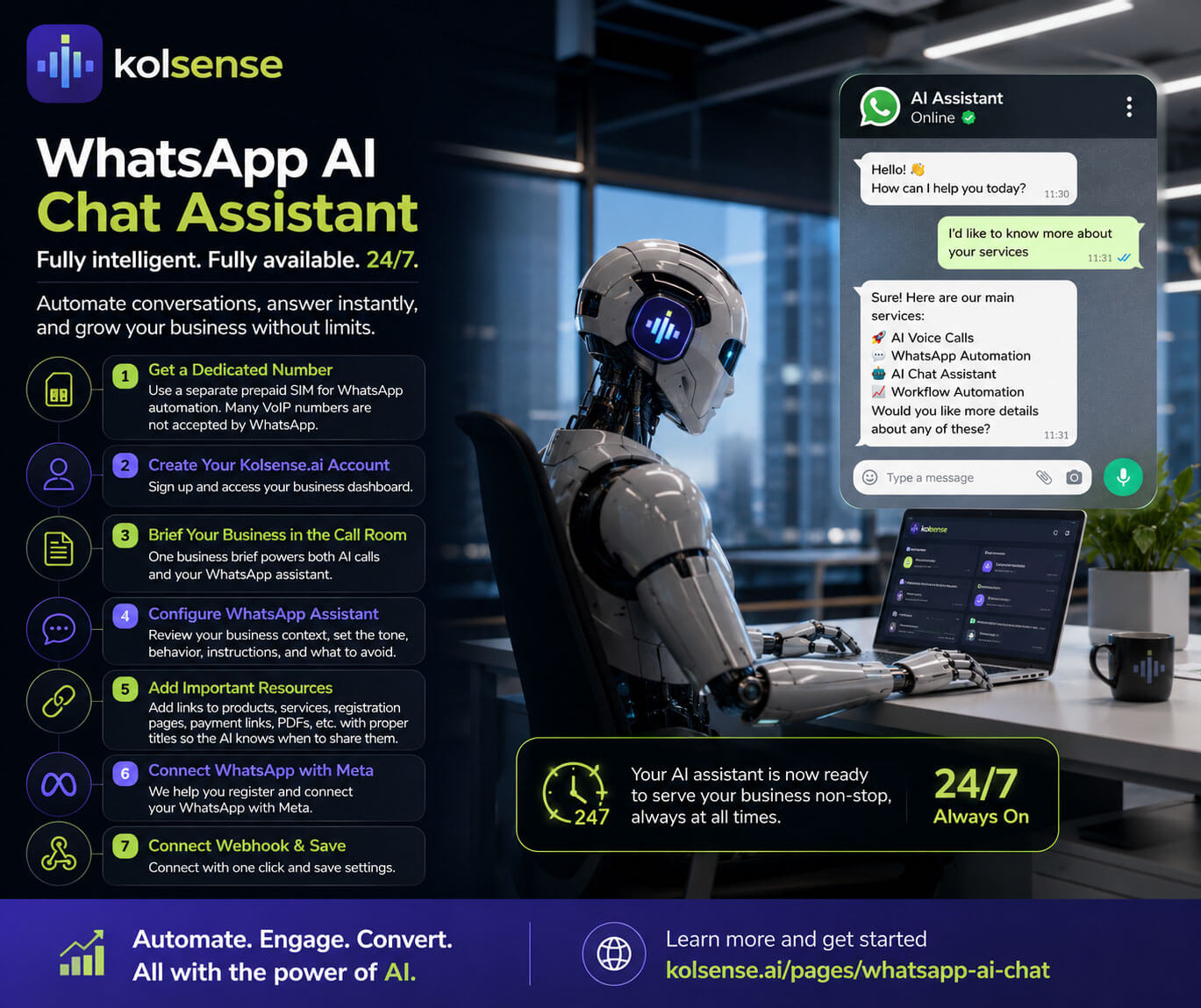
How to set up your WhatsApp AI assistant: a step-by-step walkthrough
Don't let the words "WhatsApp Business API" put you off. The whole process is simpler than it sounds — and the Meta part that most people dread? We handle that for you. Here's the full walkthrough from start to live.
-
1
Get a dedicated phone number
Before anything else, you need a phone number that isn't your personal WhatsApp. A dedicated business number is non-negotiable — WhatsApp can only be registered on one account per number, and you never want your personal chats mixed up with automated AI conversations. The good news: you don't need an expensive plan. A cheap prepaid SIM works perfectly. Buy one, register it, and keep it active with a small top-up every few months — that's all it needs.
⚠️ Do NOT use a VoIP (virtual) number — most are rejected by WhatsApp at the registration stage. Meta specifically screens for them. Always use a physical SIM. -
2
Create your Kolsense account
Sign up at kolsense.ai. Your account is your single dashboard for both AI phone calling and WhatsApp automation — one login, one billing relationship, two powerful channels.
-
3
Write your Business Brief in the Call Room
The first thing you'll configure in Kolsense is your Business Brief — this lives in the main Call Room setup. It's the foundation the AI uses across your entire account. Every AI phone call and every WhatsApp reply draws from the same brief, so getting this right benefits both channels at once. Write it like you're briefing your best employee on their first day: what the business does, who your customers are, what problems you solve, what makes you different, and anything the AI should always know. The more specific, the better.
-
4
Open the WhatsApp Assistant tab and check the preview window
Navigate to the WhatsApp Assistant tab in your dashboard. There's a preview window that shows the AI exactly as a customer would experience it. Read through it carefully — does it represent your business accurately? Does the tone feel right? If anything's missing or off, go back and refine the brief. It's much easier to catch this here than after your first customer message.
-
5
Write your WhatsApp-specific instructions
Now write your WhatsApp-specific instructions — these are separate from the brief and focused entirely on behaviour. How formal or casual should the AI sound on WhatsApp? What should it always bring up when someone asks about pricing? Are there topics it should never touch? Any specific phrases to use or avoid? These instructions let you fine-tune the AI's personality specifically for the WhatsApp channel, separately from how it behaves on phone calls.
-
6
Add your Links & Products
This is where the assistant goes from helpful to genuinely useful for sales. Add every link a customer might need: product pages, service descriptions, booking pages, payment links, registration forms, your pricing page. Give each one a clear, specific title — the AI uses this title internally to decide when a link is relevant during a conversation. A link titled "Pricing" gets shared when someone asks about cost. A link titled "Summer T-Shirt — Shop Now" gets shared when someone asks what you sell. You can also upload a product image for each link, and the AI will send it automatically as part of the same message — a full visual experience, not just a URL.
💡 Tip: the more descriptive your link titles, the smarter the AI's sharing decisions become. -
7
Give us your number — we handle the Meta side
This is the step most people expect to be complicated. It isn't. Share your dedicated phone number with Kolsense and we'll add it to our verified Meta infrastructure — no Meta Business account for you to create, no forms to fill, no approval process to wait for. We did all of that already. We'll send you back a handful of credentials (phone number ID, API token, a couple of short fields). You paste them into your Kolsense dashboard, connect your webhook with one click, and the pipeline between Meta's servers and your AI assistant is live.
💡 Prefer to manage your own Meta Business account? No problem — you can register your own WABA with Meta and paste your credentials into Kolsense instead. Either way works perfectly. -
8
Run Diagnose, save, and go live
Hit the Diagnose button. It runs a full check of your Meta configuration — phone number verification status, webhook subscription, token validity — and shows you exactly what's active and what needs attention. Once everything is green, save your settings. That's it. Your WhatsApp AI assistant is live. From this point on, every customer message gets an intelligent, instant reply — 24 hours a day, including weekends, holidays, and 3am on a Tuesday when you're fast asleep.
✅ Total one-time setup time: under 2 hours for most businesses.
Pricing that works for businesses of every size
One of the things that makes Kolsense different is that the WhatsApp AI chatbot isn't a separate product with a separate subscription — it's part of the same platform as AI phone calling. Your plan covers both. A customer who messages you on WhatsApp at night gets an AI reply. The same customer who needs a follow-up call the next day gets one, automatically. Two different channels, one platform, one billing relationship.
Pricing is based on usage — you pay for the conversations your AI actually handles, not a flat fee for a feature you may use inconsistently. For most small and medium businesses, the cost works out to be genuinely fair for what the service delivers: a customer-facing AI assistant that operates at a level no human team could match at the same price point, available around the clock, across every conversation. See current Kolsense plans or start a free trial to see how it fits your business.
If you want to talk through your specific situation — how many messages you receive, what questions customers typically ask, what a WhatsApp AI setup would look like for your business — get in touch with the Kolsense team directly. We're a small, focused team and we're genuinely happy to help you figure out whether this is the right fit before you commit to anything.
WhatsApp AI chat and AI phone calling: the combination that changes everything
There's a reason businesses that adopt both WhatsApp AI chat and AI phone calling together see the biggest impact. The two channels cover completely different customer behaviours. WhatsApp is where customers reach out on their own time — asking a question at midnight, requesting information while commuting, following up on something they saw on your website. AI voice agents cover the proactive outbound side — the follow-up call, the appointment confirmation, the lead qualification call that should have happened three hours after the form submission but usually doesn't happen until days later.
Together, they cover the full customer journey without gaps. A customer sends a WhatsApp message, gets an immediate AI response with the information they need, and books a call. That call is handled by the AI voice agent, which qualifies them and books an appointment. No human involved until the customer is ready to make a decision. This is what modern AI-powered customer communication actually looks like in practice — and it's available today on Kolsense for businesses of any size.
Frequently Asked Questions
What is WhatsApp AI chat and how is it different from standard WhatsApp Business?
Standard WhatsApp Business gives you quick replies, a greeting message, and an away message — all managed manually by a human. WhatsApp AI chat connects your business number to a real AI model that reads and understands every message your customers send and replies in natural, conversational language — automatically, 24/7. It knows your products, your prices, your booking links, and your business rules because you configured it. No menus, no numbered options, no "press 1 for sales."
Can a WhatsApp AI chatbot handle complex customer questions or only simple FAQs?
A modern WhatsApp AI chatbot built on a large language model handles genuinely complex, open-ended questions — not just a fixed list of FAQs. It handles multi-turn conversations across several messages, sends relevant links or product images mid-conversation, and collects information like name, email, or appointment preference. For conversations that go beyond its scope, it flags for human follow-up so nothing falls through the cracks.
Is it safe to use third-party WhatsApp automation tools that don't use the official Meta API?
No. Unofficial tools work by emulating a mobile app session, which violates Meta's Terms of Service. Businesses using them risk a permanent ban on their WhatsApp number — sometimes with no warning and no appeal. Losing your business WhatsApp number means losing your chat history, customer contacts, and years of built-up trust. The right approach is to use the official WhatsApp Business API through a verified provider — which is exactly how Kolsense is built.
How does Kolsense's WhatsApp AI chat work?
Kolsense connects your official WhatsApp Business number to the platform through Meta's verified API. You add your business brief, custom AI instructions, links and products with images, and a media library. When a customer messages you, the AI reads the full conversation history and replies within seconds. The Human Takeover feature lets you pause the AI and chat directly from the dashboard whenever you need to step in. Everything runs on your dedicated, Meta-verified business number.
Can the WhatsApp AI assistant send images, product links, and files?
Yes. In Kolsense you add links and products to your setup — each with a name, description, and optional image. When a customer asks about a product or where to buy, the AI shares the relevant link and automatically sends the product image as a follow-up WhatsApp message. You can also upload a media library of brochures, price lists, and photos that the AI sends on request.
Do I need technical skills to set up a WhatsApp AI assistant on Kolsense?
None at all. The part most people assume is complicated — the Meta registration — is handled by Kolsense. You don't need to create a Meta Business account or touch any Meta settings yourself. You get a dedicated phone number, hand it to us, and we add it to our verified WhatsApp infrastructure. We send you a few credentials to paste into your Kolsense dashboard, you connect your webhook with one click, and the Diagnose tool confirms everything is live. That's the entire technical requirement.
What is the difference between WhatsApp AI chat and an AI phone agent?
A WhatsApp AI chatbot handles text-based conversations asynchronously — customers message at their own pace, the AI replies, and the exchange happens over minutes or hours. An AI phone agent handles live voice calls in real time. Kolsense offers both on the same platform: a customer gets an automated WhatsApp reply at 11pm and an automated follow-up call the next morning — all without any human involvement until a real conversation is needed.